Services
Sonos Installation in London
New Sonos system planning and installation coordinated with rooms, network, cabling, control and the way music will be used.
Explore Sonos Installation in London
Insights
Bring your Sonos speakers and home network together for reliable room-by-room music, with practical advice on Wi-Fi, Ethernet and SonosNet.
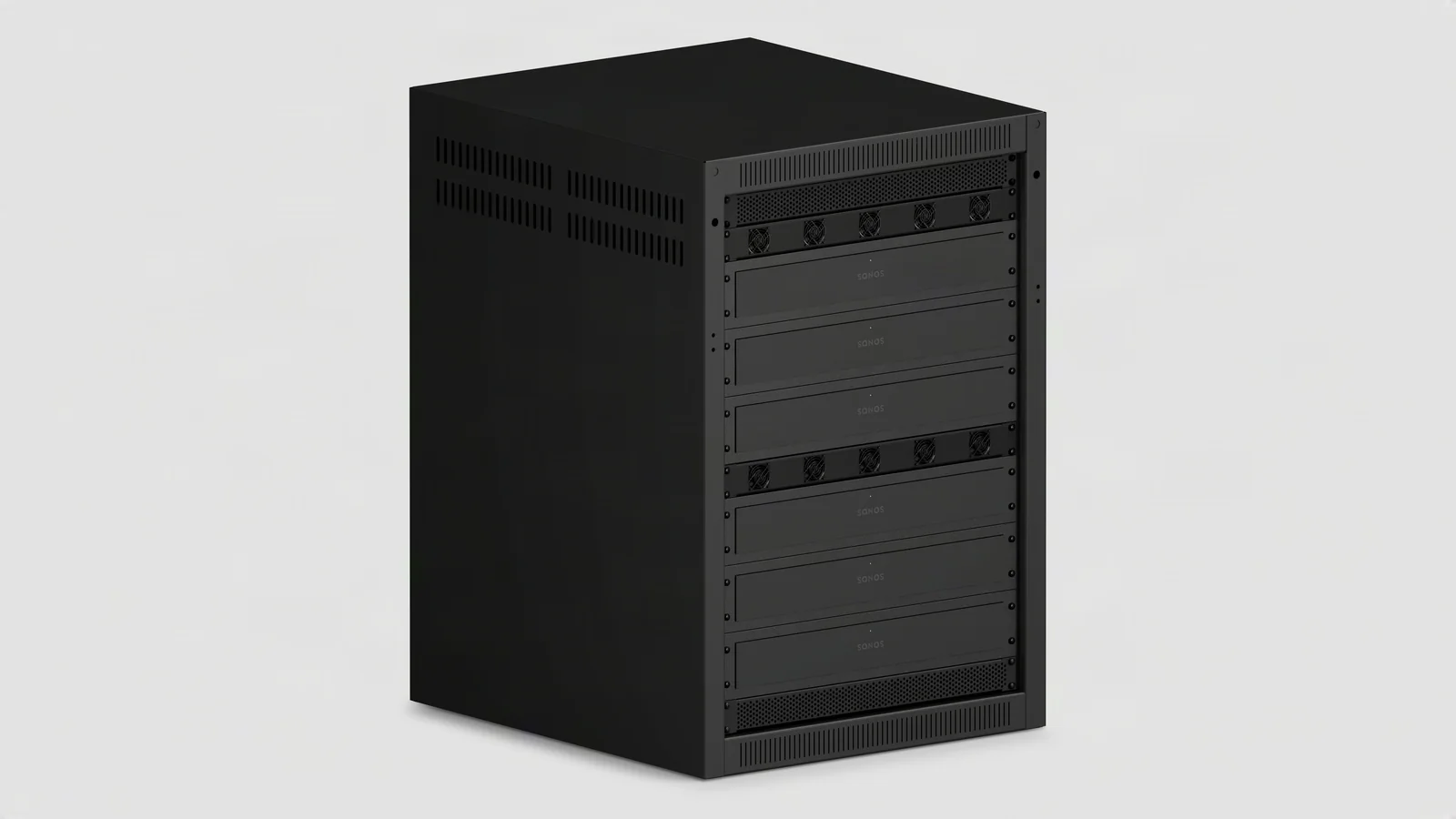
A manufacturer rack example with multiple Amp Multi amplifiers. Rack layout and ventilation need to suit the proposed system. Image: Sonos.
Dependable Sonos music starts with the speakers and network working together. We plan the connections around the exact products, room groups and home-theatre arrangement, then test playback where you use it. This guide explains the choices behind a reliable installation.
Sonos supports wireless and wired setups. In a wireless setup, products connect to the home's Wi-Fi. In a wired setup, supported products may use SonosNet, the dedicated Sonos wireless network, but several current products do not support it. Check the current Sonos wired and wireless setup guidance before changing an installation.
This evidence separates coverage, configuration, cabling and product faults. A factory reset can erase useful information and should not be the first response.
Sonos recommends wireless setup for most homes where Wi-Fi coverage is strong and stable. Each speaker connects to an access point as a normal wireless client. That makes access-point placement, roaming behaviour, channel planning and consistent LAN access important.
A phone showing strong signal in one spot does not prove the entire audio system has reliable coverage. Fixed speakers can sit inside joinery, near metalwork or at the edge of an access-point cell. Coverage should be reviewed where the products actually operate.
Ethernet can reduce wireless load and give fixed products a dependable path, especially in larger homes and busy radio environments. It still needs a correct topology. Sonos advises connecting products to a router or properly connected network switch, not through unsuitable extenders or Ethernet-over-power devices.
SonosNet support varies by product. We use Sonos’s current model guidance to choose the wired or wireless approach, including the arrangements for Era, Move, Roam and home-theatre products.
For systems with multiple Ethernet connections and SonosNet-capable products, we coordinate the switching topology, Spanning Tree, multicast and any VLAN rules. This gives the speakers and controllers the communication paths they need while keeping the network free of loops.
Where the design uses a separate network for Sonos, we configure discovery and control between the speakers and controller devices. The aim is a straightforward listening experience within the home’s wider network design.
Surrounds and Subs work with the primary home-theatre player as a coordinated system. We check the soundbar and satellite models before choosing their Ethernet and wireless connections, following the supported arrangement for that combination.
The Sonos app can show whether a product is using Wi-Fi, Ethernet or SonosNet. Sonos explains these states in its connection-type guide.
For a new system, provide the floor plans, room list, speaker positions and network design. For an existing fault, send the product list, symptoms and network changes. Use our Sonos installation service, Sonos repair and support, or home-network service.
Continue exploring
Services
New Sonos system planning and installation coordinated with rooms, network, cabling, control and the way music will be used.
Explore Sonos Installation in LondonServices
Get your whole-home music playing reliably again. Sonos fault finding, network improvements, existing-system support and ongoing care.
Explore Sonos Repairs & Existing-System SupportServices
Enjoy dependable Wi-Fi for working, streaming and connected living. Home network design, installation and ongoing care across London.
Explore Home Wi-Fi & Network Installation